Routing Software for Home Service Contractors
Routing Software for Home Service Contractors: Cut Drive Time and Win More Jobs
Your best tech just drove eleven minutes past a job to reach one that was routed first because you typed it into the schedule first — not because it made sense. That’s twenty-two minutes and roughly four dollars in fuel gone before he’s even knocked on a door. Multiply that by three trucks and five days, and you’ve quietly given away a full workday every single week.
If you’re Googling routing software for home service contractors, you already suspect this. Here’s the number that should bother you: contractors who route by memory, by gut, or with a free Google Maps tab lose 15 to 25 percent of their daily capacity to bad sequencing. That’s not an efficiency problem. That’s a full extra job you could’ve booked, sitting on the table because nobody optimized the drive.
This guide breaks down what routing software actually does for a one- to fifteen-person crew, which features are worth paying for, what most platforms get wrong, and how to pick one that pays for itself before the trial period ends.
What Routing Software Actually Does for Home Service Crews
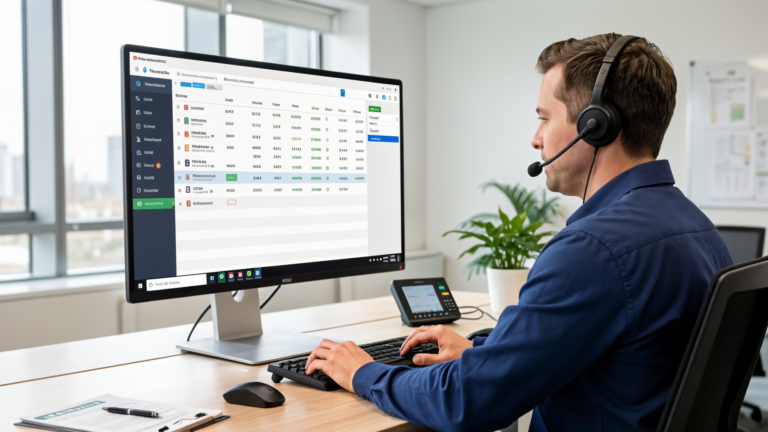
Routing software isn’t a map with colored lines on it. It’s a scheduling engine that takes your job list and arranges it around constraints a human dispatcher can’t juggle in their head at 6:45 a.m. with coffee still brewing.
For a home service business, that means four things happen automatically:
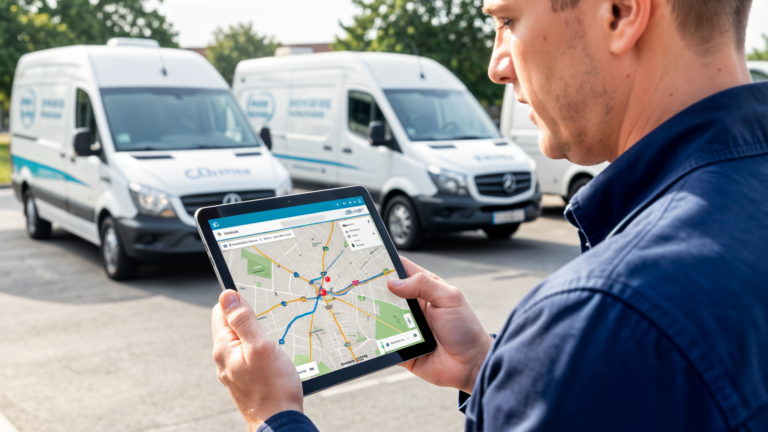
- Multi-stop sequencing. Load in eight jobs scattered across town and the software finds the order that costs the least time and mileage — not the order they came in on the phone.
- Time window enforcement. The Hendersons booked an 8-to-11 window for a water heater install. The software won’t stack a same-day emergency call in front of it and blow the window.
- Skill matching. Panel upgrade needs a licensed electrician, not the apprentice you hired in March. Good software won’t let you assign the wrong person, even by accident, even on a chaotic Monday.
- Live redispatching. A no-show or a wreck on the interstate doesn’t torch the whole day. The system recalculates and moves the next job up.
None of that matters if your scheduling is sloppy to begin with. A dispatcher who books a 9 a.m. emergency plumbing call into a system the routing tool never sees is still going to blow the schedule — the algorithm can’t route a job it doesn’t know exists. That’s why the best tools sit directly inside your job management platform instead of bolting on as a separate app.
Why a Spreadsheet Can’t Do This Job
A spreadsheet is fine for tracking inventory. It’s a disaster for routing five trucks. It can’t reoptimize when a customer calls at 11:20 a.m. with a burst pipe, and it has no idea your HVAC tech is already fifteen minutes from that address while your plumber is clear across the county.
Once you’ve got more than one technician, manual routing turns into a guessing game — and customers don’t grade on a curve. Tell someone 2 p.m. and show up at 4:15 because you got the sequence wrong, and you’re not getting a five-star review. You’re getting a Yelp post titled “never showed up on time.”
Features Worth Paying For (and the Ones You Can Skip)
Sit through a software demo and you’ll get a twelve-item feature checklist that sounds impressive and does nothing for a four-truck plumbing outfit. Here’s what actually moves the needle on a Tuesday when three jobs are on fire at once.
- Scheduling and routing in one system. If your calendar lives in one app and your routes live in another, they go out of sync the first time a job gets rescheduled. Move a job, the route should move with it — automatically.
- A mobile app built for the field, not the office. Your tech is standing in a driveway with a wrench in one hand. The app needs to load fast, work with one thumb, and not require a manual to re-sequence a stop.
- Automated customer texts. “Your technician is 5 minutes away” turns a customer who’s been waiting since noon into someone who leaves a good review instead of an angry voicemail.
- Driver and fuel analytics. Not to micromanage anyone — to catch the truck that’s idling for twenty minutes at every stop and burning through your fuel budget.
Dispatch Optimization Is the Feature Nobody Talks About
Routing gets you from job A to job B efficiently. Dispatch optimization decides whether job B should even go to that technician in the first place. A pure routing tool hands you a clean path between five stops. A dispatch-aware tool tells you to skip the $180 job across town and take the $420 job ten minutes away, because the cheaper one already has someone assigned.
If your software can’t weight jobs by profitability, urgency, or who’s actually free, you’ve bought an expensive map. Nothing more.
Where Most Routing Tools Fall Apart
Here’s the part vendors don’t put in their sales deck: most routing software was built for delivery vans and food trucks. It was never designed for a contractor who needs to swing by the supply house, grab a part, and then navigate to a house with no street parking and a dog that loses its mind at every doorbell.
Watch for these specific failure points:
- Frozen routes. You plan the day at 7 a.m. and the software has no mechanism to adjust when a tree takes out a transformer at 10:30 and half your afternoon jobs need power restored first.
- No offline mode. Your tech’s phone drops signal in a parking garage or a basement job, and suddenly he’s got no map, no addresses, no notes.
- Bad integrations. Addresses get retyped by hand between the scheduling app and the routing app. Someone fat-fingers a digit, and your driver ends up two streets off, calling the office confused.
- Enterprise pricing for a two-person crew. Some platforms charge for fifteen custom reports and a fleet dashboard you’ll never open. You need routes that work, not a BI suite.
The Setup Cost Nobody Budgets For
Everyone budgets the monthly subscription. Almost nobody budgets the onboarding time. A tool that saves you ten hours of driving a month but eats twelve hours getting your team trained on it is a net loss in month one — and that’s before you factor in the technician who just quietly stops using it because it’s a pain.
The right tool imports your existing job data on day one and gets your least tech-savvy guy using it correctly within a shift. If a sales rep insists on a two-hour demo before showing you pricing, that’s a red flag. Walk.
How to Actually Pick One
Treat this decision like buying a work truck, not like buying software. It has to be reliable, it has to fit your operation, and it has to cost less than what it’s replacing.
Start with real numbers. Count your weekly job volume and estimate the hours lost to bad sequencing today. Running forty jobs a week across three trucks and losing an hour a day to poor routing? You’re burning roughly sixteen hours of labor a month. That’s your ceiling for what a new tool is worth paying for.
Then stress-test the mobile app before you commit to anything. Stand in your truck, flip your phone to airplane mode, and try to re-sequence a stop. If it works offline, keep evaluating. If it crashes or locks up, that tool fails on the exact days you need it most — the ones with no signal.
Doing the Actual Math on ROI
The pricing on small-contractor routing tools typically runs $30 to $80 per user, per month. For a three-tech operation, that’s $90 to $240 monthly. Save just one hour of drive time per truck per day at a $125 billable rate, and you’re cash-positive inside the first week.
But the real return isn’t the fuel savings — it’s capacity. Tighten your routes enough and you can fit a sixth or seventh job into a day that used to max out at five. That’s where a 300 to 500 percent return actually comes from: not the $15 saved on gas, but the extra job you can now say yes to.
Run the fuel math too, if you want a clean number to justify the spend. Average 200 miles per truck per week, with 25 percent of that being wasted driving from poor sequencing. At $3.50 a gallon and 15 miles per gallon, that’s $35 per truck per week in pure waste — $1,820 a year for a three-truck shop. A $90-a-month tool that recovers even half of that pays for itself by month three.
Job Management Integration Isn’t Optional Anymore
Routing software that operates in its own silo is routing software that fails within a month. Your technicians need the address, the customer’s phone number, the parts list, the invoice notes, and the gate code — all inside the same app that’s telling them where to drive next.
This is where most small-contractor tools quietly fall apart, and it’s why you end up with three separate apps open on a truck’s dashboard mount: one for scheduling, one for routing, one for invoicing. That friction is what kills adoption six weeks in. The right platform runs it as one flow — schedule the job, assign the tech, auto-route the day, text the customer, close the job, push the invoice — without a single address getting retyped.
This is the exact gap QuoteIQ is built to close. It combines routing with full scheduling, job management, and automated customer texts in one system, so you’re not stitching together three subscriptions and hoping the data stays in sync. QuoteIQ’s routing accounts for technician skill, parts on hand, current traffic, and actual customer time windows — not a generic 8-to-5 default. Pricing runs $12 a month for solo operators up to $120 a month for larger crews, and it comes with 40 percent lifetime recurring commissions if you’re the type who refers tools you trust to other contractors.
Mobile and Offline Reliability: The Detail Everyone Skips
Cell signal drops. It happens in basements, new subdivisions with no towers yet, parking garages, tunnel exits. A routing app that goes blank the second the network hiccups isn’t just inconvenient — it strands your tech mid-job with no address and no notes.
A real mobile experience caches routes locally, lets your driver reorder stops from the device itself, and keeps the map visible even with zero bars. Add glove-friendly buttons and a screen your tech can actually read at a glance — nobody’s tapping tiny icons with hands covered in flux paste or roofing tar.
Battery Life and Data Usage Matter More Than You’d Think
A routing app that drains a phone to 20 percent by 11 a.m. is a real liability — every contractor has a story about arriving on-site with a dead phone and a customer standing in the driveway. Efficient, lightweight apps that don’t run the CPU hot in the background aren’t a nice-to-have. They’re table stakes.
Data usage matters just as much if you’re running five trucks across a county. Full-color map tiles and constant live-traffic streams chew through data plans fast. Good routing software is built for real cellular limits, not the assumption that every truck has a fiber connection.
The Bottom Line
If you’re still on the fence about routing software for home service contractors, here’s the uncomfortable truth: your competitors already made the switch. The crews that win the next round of bids, show up inside their promised window, and squeeze eight jobs into a day while you’re still stuck on stop number four — they automated this months ago.
Routing software doesn’t replace your instincts or your local knowledge of which street floods after rain. It amplifies what you’re already good at and strips out the friction that’s quietly costing you money every day you don’t have it.
Ready to stop losing jobs to bad directions? QuoteIQ gives you the routing intelligence, offline-reliable mobile app, and full job management integration a small crew actually needs — without enterprise pricing built for a fleet you don’t have. Start a free trial, import your job list, and run one real day on it. If you don’t save at least thirty minutes of drive time, you’ve lost nothing but an afternoon. If it clicks — and it usually does — you’ll wonder why you spent another year routing jobs by hand.