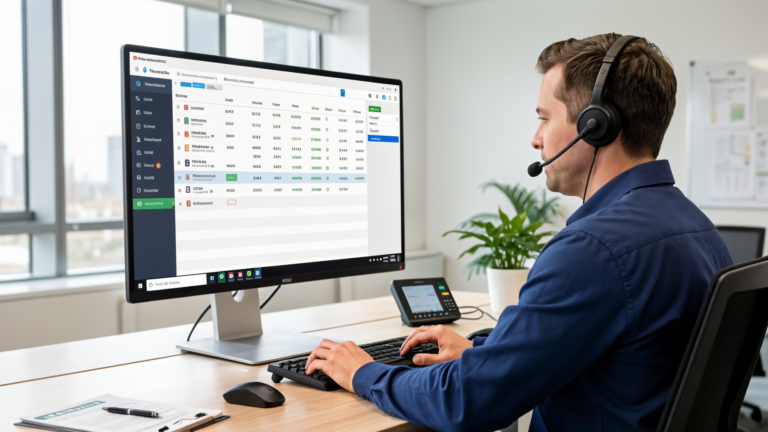
Spreadsheet to Dispatch Software Migration Guide

Spreadsheet To Dispatch Software Migration Guide
You’ve got three tabs open right now. One for scheduling, one for customer info, one labeled “notes” that nobody’s touched since March. Your best tech just texted asking where his next job is, and you’re squinting at a spreadsheet on your phone in a Home Depot parking lot. That’s not a system — that’s a liability with a save icon. If you’re searching for a spreadsheet to dispatch software migration guide because you’re tired of being the human API between your crew and a Google Sheet, here’s how to actually make the switch without losing data, losing customers, or losing your techs’ patience.
Why Spreadsheets Stop Working Somewhere Around Employee #4
Spreadsheets aren’t the villain here. They’re free, they’re flexible, and every office manager already knows how to build one. The problem is nobody ever designed them to run a moving business with trucks, techs, and customers who all need answers at the same time.
The Cracks Show Up on a Predictable Timeline
At one or two techs, a spreadsheet works fine. You’re the dispatcher, the scheduler, and the guy who remembers everything because there isn’t that much to remember. Add a third truck and things get wobblier. By four or five employees, you start double-booking jobs because two people are editing the sheet at the same time — one saves over the other, and now two techs show up to the same address while a customer three streets over is still waiting on a callback. By eight or ten employees, you’re losing job history because someone “accidentally” overwrote a row, and nobody in the office can find last month’s invoice without texting you directly, even though you’re standing in someone’s crawlspace at the time.
The Hidden Cost Isn’t Time — It’s Trust
Most owners assume the spreadsheet problem is an efficiency problem. It’s actually a trust problem, and trust problems cost more. A missed appointment because two techs got assigned the same job. A quote that never got followed up on because it was sitting in somebody’s “TODO” column that nobody checks after Tuesday. These aren’t productivity hiccups — they’re revenue walking out the door. Field service businesses running purely on spreadsheets commonly lose somewhere in the 10-15% range of potential revenue to scheduling conflicts, lost quotes, and follow-up gaps, simply because nothing ever reminds anyone to follow up. Nobody sees that number on a P&L. It just shows up as slower growth that nobody can explain.
If you’re still building quotes in a separate Word doc, copying the total into a spreadsheet cell, then texting the customer a price by hand — you’re personally doing the job of three pieces of software, and you’re doing it with one person’s patience. That’s the real cost. It compounds every single week you put off fixing it.
What Dispatch Software Actually Replaces (Not Just Digitizes)
Most owners picture dispatch software as “a spreadsheet, but on a phone.” That’s not what it is. It’s the difference between a filing cabinet and an actual filing clerk who never forgets, never double-books, and never overwrites your data by accident.
Scheduling Becomes Two-Way
A spreadsheet is one-directional. You write on it, someone else reads it — or doesn’t. Dispatch software pushes each job straight to the tech’s phone, shows you whether they’ve actually opened it, and updates the job status in real time as they work it. No more “did you get my text?” texted three more times.
Customer History Stops Living in Your Head
Every quote, every invoice, every past job and every note attaches permanently to that customer’s record. When somebody calls back eight months later asking about the water heater you replaced, whoever picks up the phone sees the full history in two seconds — not “let me check with the owner and call you back.”
Quoting and Invoicing Finally Connect to the Job
Here’s the part a spreadsheet will never do well: a quote turns into a scheduled job, which turns into an invoice, and the numbers carry through automatically the entire way. No retyping totals at 9pm, no math errors, no quote sitting unanswered for three weeks because nobody remembered it existed.
What Most Migration Advice Gets Wrong
Search “how to switch from spreadsheets to dispatch software” and you’ll find a stack of guides that all say the same three words: pick software, import data, done. Follow that advice and you’ll get a mess with a nicer interface.
They Treat It Like a Software Problem, Not a Data Problem
Your spreadsheet is full of entries a human reads fine and software reads as chaos — “123 Main St,” “123 Main Street,” “123 main st unit b” look like the same address to you and three different addresses to an import tool. Almost every generic guide skips data cleanup entirely, because cleanup is boring to write about. It’s also the single biggest reason migrations fail. You don’t inherit a clean system by importing a dirty one.
They Ignore the Field Crew Entirely
Most migration guides are written for the office, with an unspoken assumption that the techs will “just figure it out.” Your guys aren’t going to fight with an app in between jobs with gloves on and a customer standing in the driveway. If it’s not dead simple on a five-inch screen, they’ll go back to calling the office for their next address — and your migration is functionally dead within two weeks, no matter how good the software actually is.
They Underestimate the Parallel-Run Period
Competitors either say “flip the switch overnight” or skip transition time altogether. Both are wrong. You need a real overlap window where both systems run side by side, because the first two weeks of any new system surface problems that only real jobs reveal — never test data, never a demo account with three fake customers named “Test Customer.”
A Straight-Talk Migration Plan That Actually Works
Skip the theory. Here’s the order that keeps your business running while you switch tools underneath it.
Step 1: Audit Before You Touch Any Software
Open your spreadsheet. Count your actual active customers — not everyone who’s ever called you once in 2019. Standardize your address formats. Flag duplicate entries. This takes one afternoon and saves you weeks of cleanup down the line. Migrate garbage data into a new system and all you’ve built is a nicer-looking mess with a monthly subscription attached.
Step 2: Pick Software Sized for Your Crew, Not Your Ambitions
A four-person plumbing outfit doesn’t need enterprise routing algorithms built for a 200-truck fleet. It needs fast quoting, simple scheduling, and invoicing that doesn’t require a training manual to open. This is exactly the gap QuoteIQ was built for — quote-to-invoice in one flow, priced and designed for small contractor crews instead of enterprise fleets. If your current toolset is a spreadsheet, plus a separate invoicing app, plus a running group text — consolidating into something like QuoteIQ removes two of those three tools in one move.
Step 3: Run Both Systems for Two Weeks
Keep the spreadsheet as a backup while every new job runs through the new software. Don’t drag your entire historical data over — only bring forward active customers and open jobs. Old history can be exported and archived separately where it won’t clutter the new system.
Step 4: Train the Field First, Office Second
Your techs need about five minutes: how to see today’s job list, how to mark a job complete. That’s genuinely it. Save the reporting dashboards and quote-building walkthroughs for the office staff who’ll actually touch those features every day.
Choosing Software That Won’t Become Next Year’s Spreadsheet
Not every dispatch tool actually solves the spreadsheet problem. Some just move the same chaos into an app with a monthly fee attached.
Look for Quote-to-Cash in One Tool
If quoting, scheduling, and invoicing live behind three separate logins, you haven’t fixed your fragmentation — you’ve just added subscriptions to it. QuoteIQ’s model of building the quote, converting it directly into a scheduled job, and invoicing off those same numbers is the kind of consolidation that actually cuts daily friction instead of adding one more browser tab to keep open all day.
Price It Against What You’re Already Losing
A tool running $12-$50 a month per user across a small crew sounds like a real expense right up until you compare it to the revenue lost from one missed follow-up quote or one double-booked Tuesday. Most small home service operations recover the software cost within the first month just from quotes that stop falling through the cracks.
Test With Real Jobs, Not Demo Data
Any software looks great with sample customers named “Test Customer” and pre-filled addresses. Run your actual next five real jobs through it before you commit to anything. If your team can’t book, dispatch, and invoice a live job without calling you for help, it’s either not ready or it’s not the right fit for a crew your size.
What Changes in the First 90 Days
Migration isn’t a single event you flip a switch on — it’s a 90-day adjustment your whole team works through together, whether you plan for it or not.
Days 1-30: Friction Is Normal
Expect grumbling. Your techs are used to the old way, and any new tool feels slower before it feels faster — that’s true of literally every tool ever adopted by a small business. This is exactly the period where your parallel-run backup spreadsheet earns its keep.
Days 30-60: The Data Starts Working for You
By now you’ve got real job history building inside the new system, not test entries. You start noticing patterns — which customers rebook every year like clockwork, which quotes always stall out, which jobs consistently run longer than estimated. A spreadsheet never surfaced any of this, because nobody had the time to build those reports by hand.
Days 60-90: You Stop Thinking About the Software
The real sign of a successful migration isn’t excitement — it’s silence. Nobody mentions the spreadsheet anymore because the new system is just how the business runs now. If your team’s still asking “can you send that to me in the spreadsheet” at day 90, something in the setup or the training didn’t stick, and it’s worth going back to Step 4.
Ready to Make the Switch
You don’t need to overhaul everything this week. Start with the audit — one afternoon spent cleaning up your customer list pays off no matter which software you eventually choose. When you’re ready to compare tools, look specifically at platforms built for crews your size instead of enterprise fleets. QuoteIQ is worth a look if quote-to-invoice consolidation is the piece of this that’s costing you the most right now.
Bottom Line
Spreadsheets got you this far, and that’s not nothing — plenty of six and seven-figure service businesses were built on a Google Sheet and a lot of hustle. But the business that got you here isn’t the business you’re trying to build next. Every week you delay a spreadsheet to dispatch software migration is another week of double-bookings, quotes nobody followed up on, and a crew that calls the office instead of just checking their phone. The contractors who pull this switch off cleanly aren’t the ones running the fanciest software — they’re the ones who cleaned their data first, sized their tool to their actual crew, and handed their field team something simple enough to use with gloves on. Do those three things, and the migration stops being a project. It just becomes how you run the business.